

Access to Borderless
Please contact us via email if you are not already in touch for onboarding. Borderless will configure your organization in our system and invite your first user via email or Slack. Once you receive this invitation, you can use it to set a password, and invite additional team members to the organization via your Borderless dashboard. Here you will have options to manage roles, configure organizational settings, and reset your password.Create API Keys
In the Borderless admin dashbaord, you’ll be able to generate your API keys to continue the integration and testing.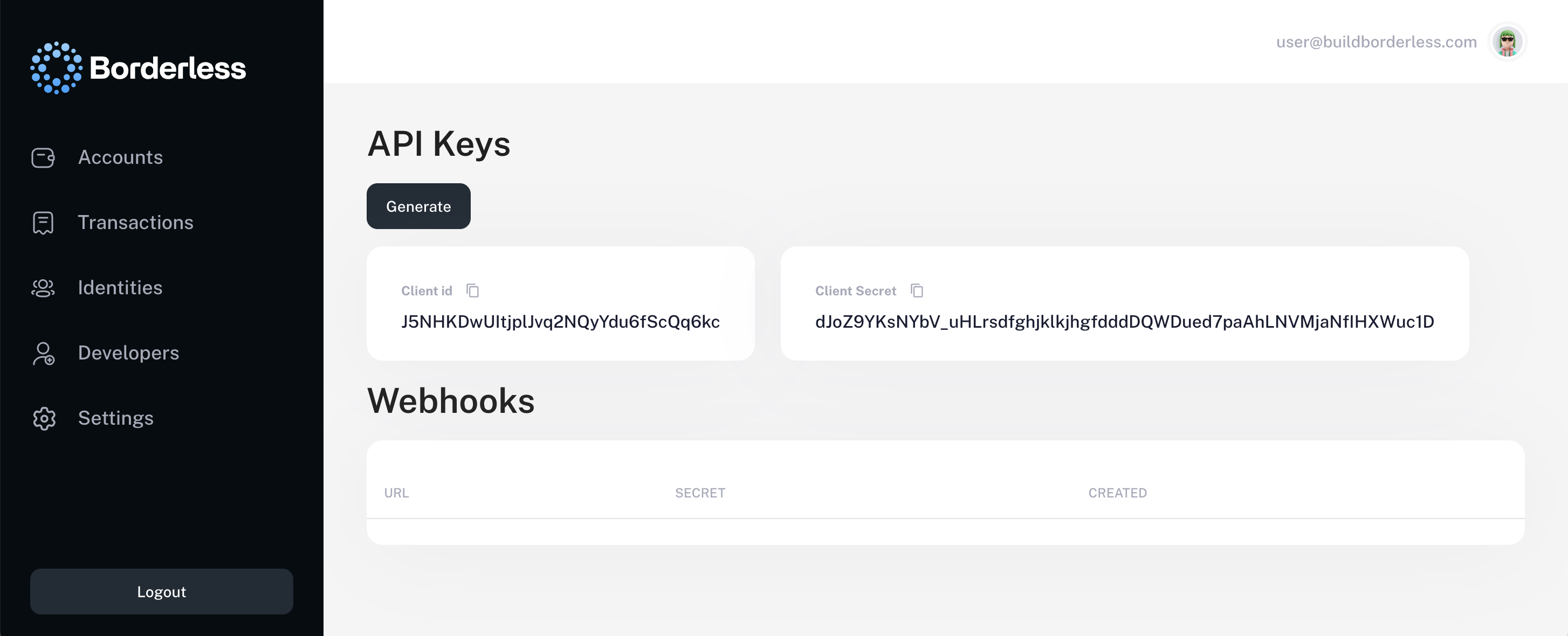
Developers section on the left hand navigation panel. Click the Generate button and copy your API keys.
Generating API Access Token
With your API keys from the previous step, you can generate an access token to authenticate future API requests. Authentication is enforced via OAuth 2.0. All endpoints require verified bearer tokens, and webhook communications are signed for end-to-end trust. In your request body, include yourClient ID and Client Secret, which you generated in the Developers section of the Borderless Dashboard.
Video of access token generation
If you have any questions, please don’t hesitate to reach out to us via email or slack.