> ## Documentation Index
> Fetch the complete documentation index at: https://docs.borderless.xyz/llms.txt
> Use this file to discover all available pages before exploring further.
# Authentication
## Access to Borderless
Please contact us via email if you are not already in touch for onboarding. Borderless will configure your organization in our system and invite your first user via email or Slack.
Once you receive this invitation, you can use it to set a password, and invite additional team members to the organization via your Borderless dashboard. Here you will have options to manage roles, configure organizational settings, and reset your password.
## Create API Keys
In the Borderless admin dashbaord, you'll be able to generate your API keys to continue the integration and testing.
Look for the `Developers` section on the left hand navigation panel. Click the `Generate` button and copy your API keys.
**Please ensure you store your API keys in a safe place and do not share them.**
## Generating API Access Token
With your API keys from the previous step, you can generate an access token to authenticate future API requests. Authentication is enforced via OAuth 2.0. All endpoints require verified bearer tokens, and webhook communications are signed for end-to-end trust.
In your request body, include your `Client ID` and `Client Secret`, which you generated in the `Developers` section of the Borderless Dashboard.
Endpoint: [`POST /auth/m2m/token`](/api-reference/authentication/obtain-authentication-m2m-tokens)
```bash request expandable theme={null}
curl -X POST "https://sandbox-api.borderless.xyz/v1/auth/m2m/token" \
-H "Content-Type: application/json" \
-d '{
"clientId": "your-client-id",
"clientSecret": "your-client-secret"
}'
```
```json response expandable theme={null}
{
"accessToken": "your-access-token",
"tokenType": "Bearer",
"expiresIn": 3600
}
```
### Video of access token generation
If you have any questions, please don't hesitate to reach out to us via [email](mailto:support@borderless.xyz) or slack.
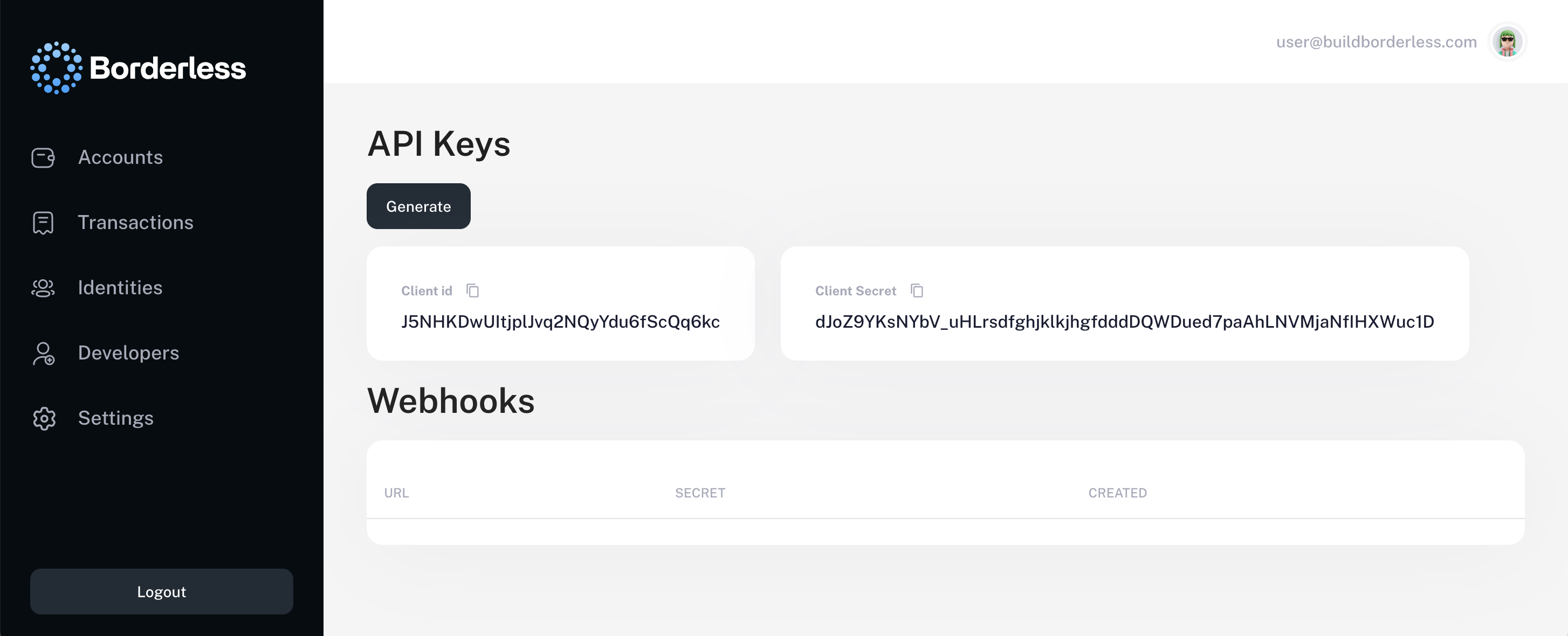 Look for the `Developers` section on the left hand navigation panel. Click the `Generate` button and copy your API keys.